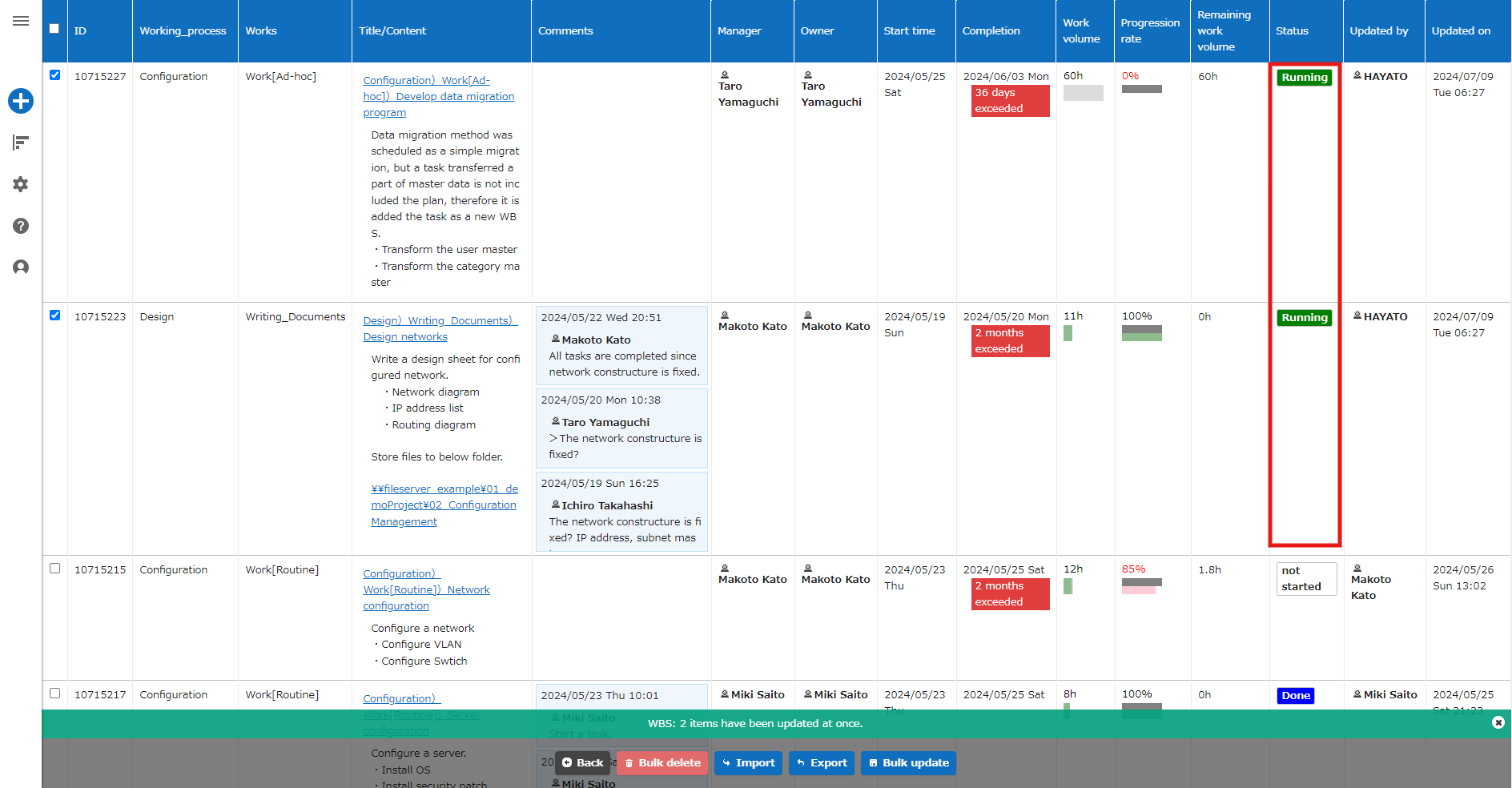
Table Function: Record Bulk Update
Overview
When you want to change the values of a certain column at once, you can use the bulk update function to change the values of the specified column at once.
Limitations
- Even if the column is set to "Read Only" in a specific situation in "Control by Status", "Read Only" will not be enabled.
Prerequisites
- You must have "Update Permission" for the site.
- To use the bulk update function, check the "Allow Bulk Update" checkbox in the advanced settings of the column on the editor screen to enable the bulk update function.
Operation Procedure
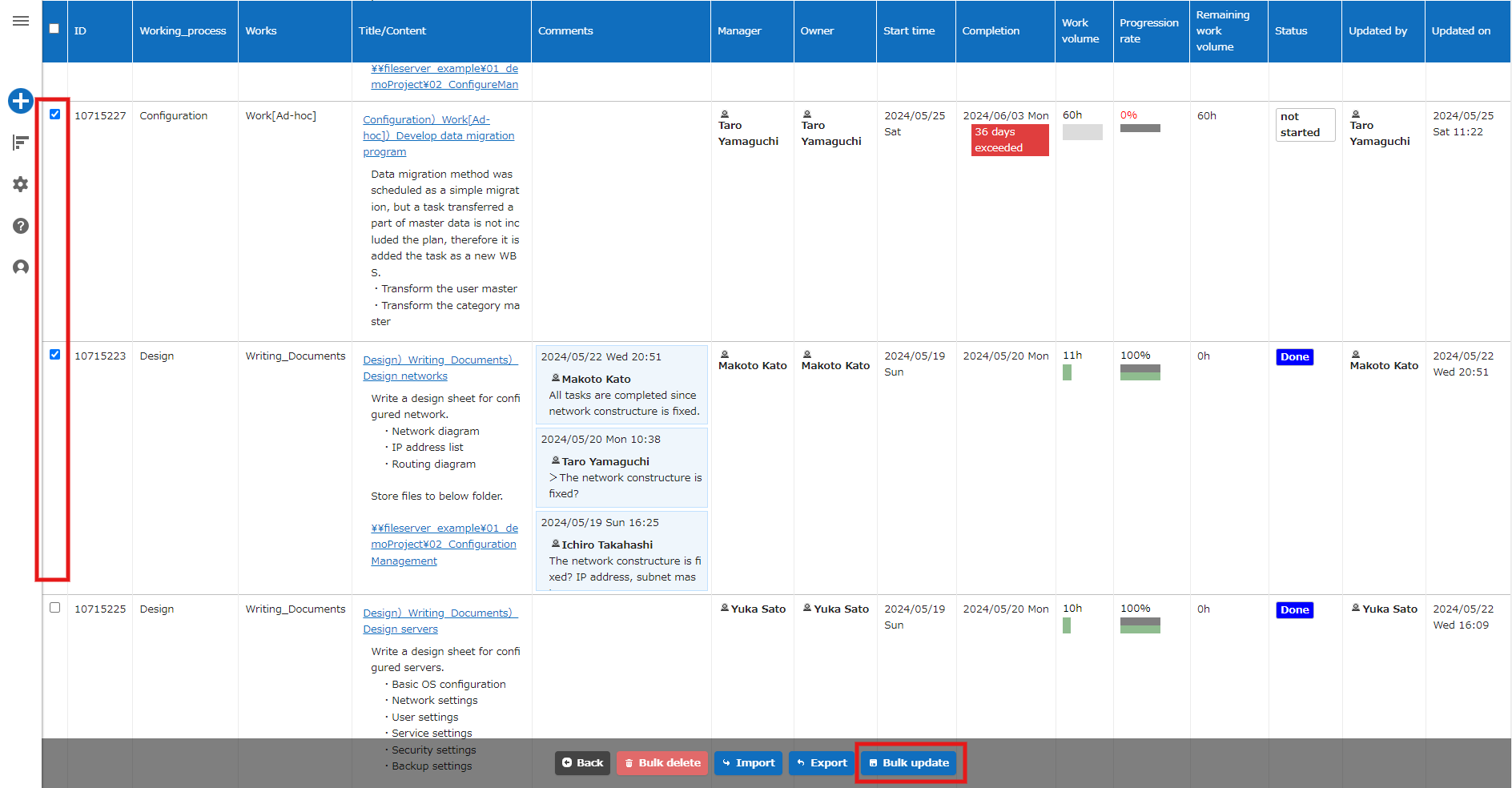
- Click the "Bulk Update" button at the bottom of the list screen.
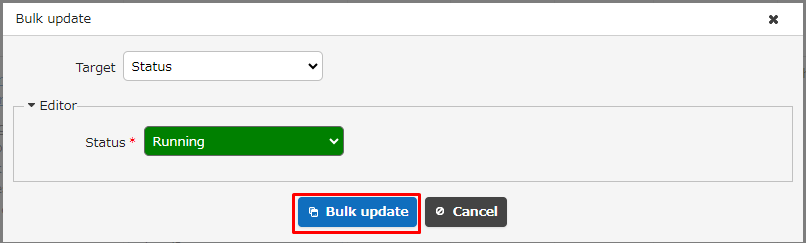
- Enter the column to be updated in bulk and the updated values, then click the "Bulk Update" button.
- Please confirm that the values of the "Status" column of the target records have been bulk updated.