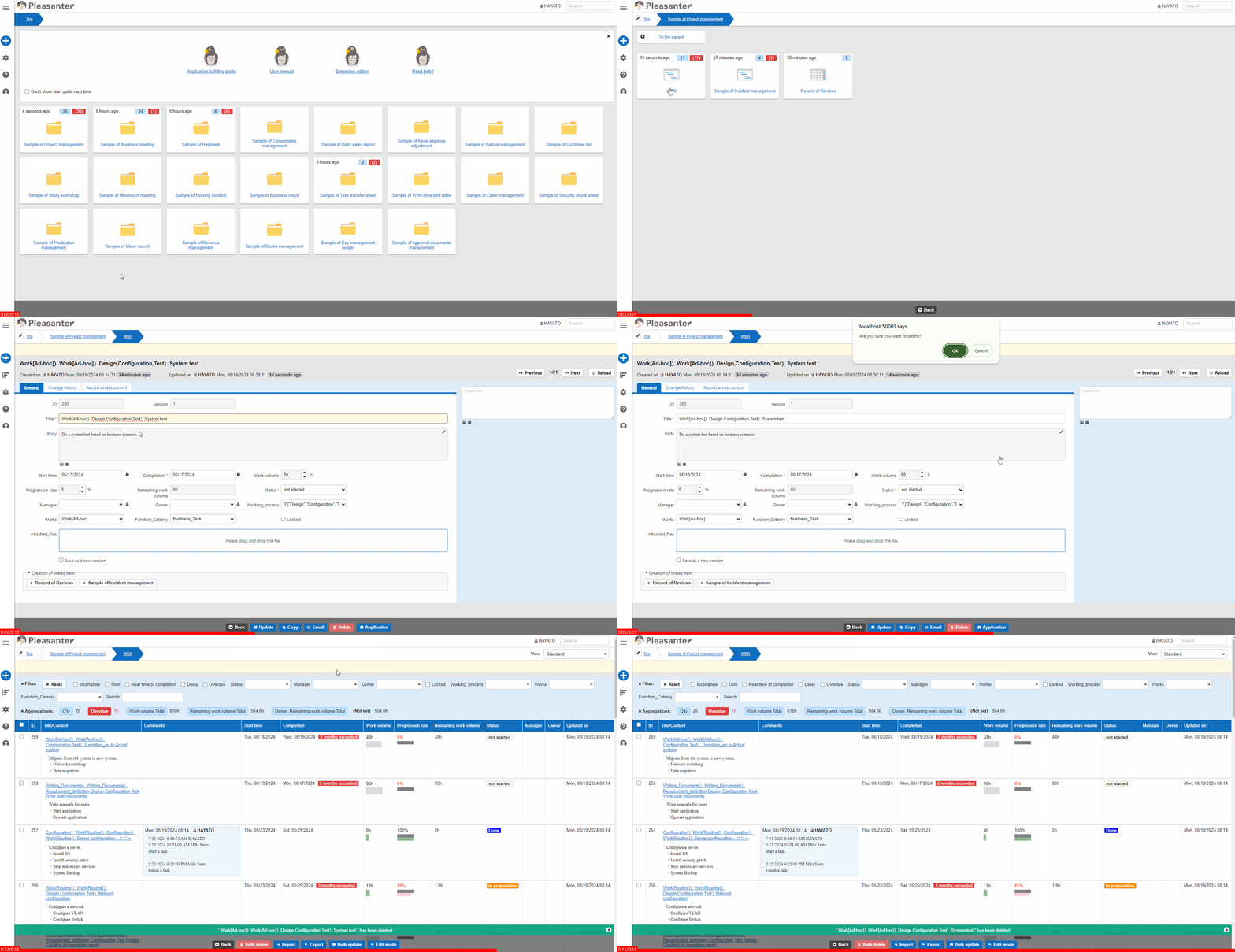
Table Function: Delete Record
Overview
Use the "Editor" to delete records from the table. The records will be moved to the "Recycle Bin" after this operation.
Limitations
- If the "Table" is locked, it cannot be deleted.
- If the record is locked, it cannot be deleted.
- If the record is read-only, it cannot be deleted.
- Even if the record is deleted, images registered to the record will not be deleted.
Prerequisites
- The "Site" or record must have "Read Permission" and "Delete Permission".
Operation Procedure
- Go to the target table.
- Search for the target record from the "List Screen".
- Click on the target record.
- The "Editor" will be displayed, so confirm that users want to delete it.
- Click the "Delete" button.
- A confirmation dialog will be displayed, so click "OK".
- If "Deleted "xxx"" is displayed, the process is complete. The title of the record will be displayed in place of xxxx.