Table Function: Restore Records From The Recycle Bin
Overview
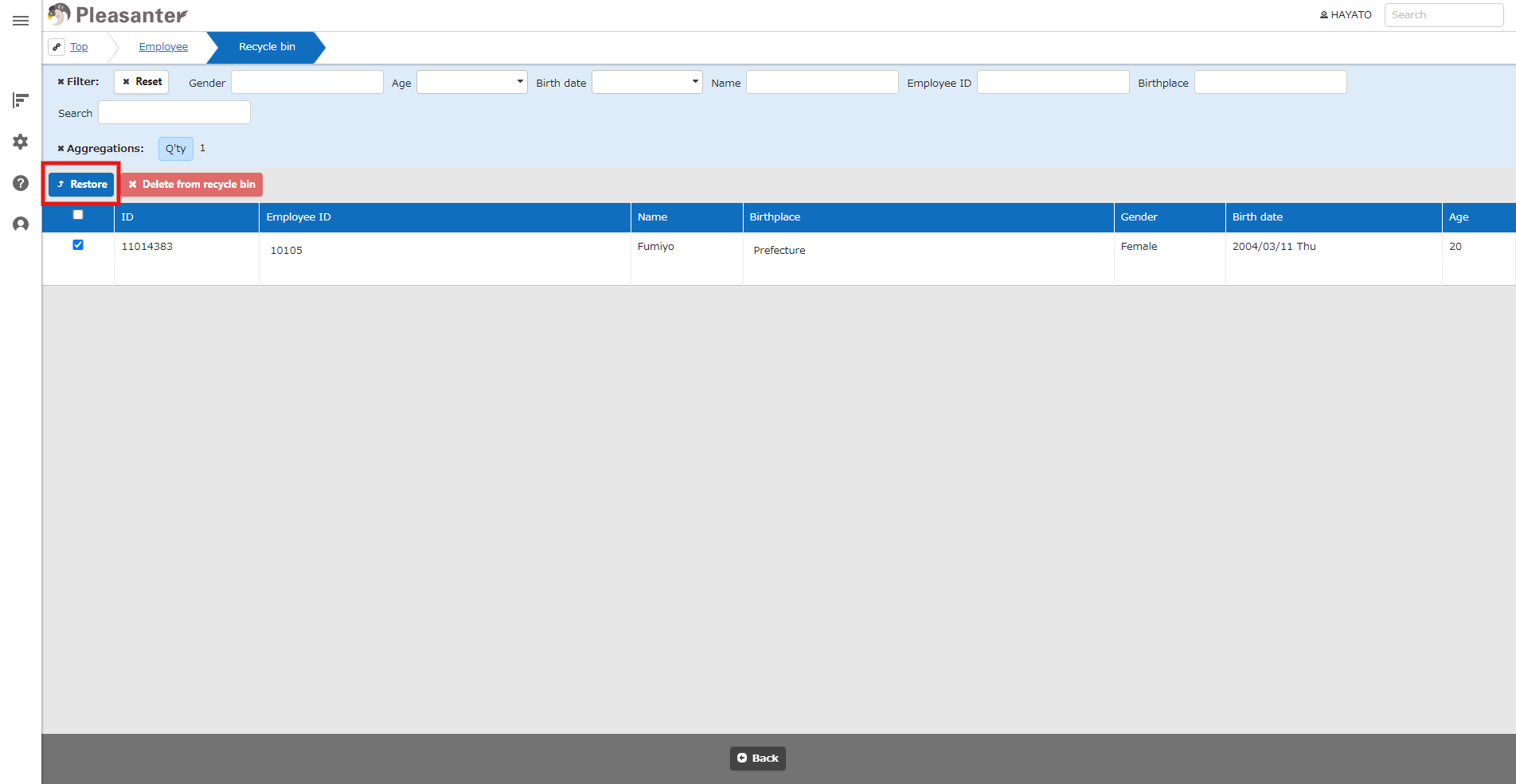
Restore deleted records using the Recycle Bin. Multiple records can be restored at once.
Limitations
- If "Lock Table" is enabled, the Recycle Bin will not be displayed in the navigation menu and operations cannot be performed.
- If "Provider" in "BinaryStorage.json" is "Local" and "RestoreLocalFiles" in BinaryStorage.jsonis false, attachments will not be restored.
- If "Restore" in "Deleted.json" is false, the "Restore" button will not be displayed and operations cannot be performed.
Prerequisites
- You need the "Site Administrator Permission".
Operation Procedure
- Go to the target table.
- From the "Navigation Menu", select "Manage" → "Recycle Bin".
- A list of records stored in the recycle bin will be displayed, so search for the target record.
- Check the records you want to restore. The check box is the leftmost column of each record. If you want to select all, check the box in the header row.
- Click the "Restore" button.
- A confirmation dialog will appear, so click "OK".
- When the message "XX items restored" appears at the bottom of the screen, the process is complete.