Wiki Function: Delete Change History
Overview
You can delete specific versions from the change history of a Wiki. You can delete multiple versions at once.
Cautions
- Deleted versions cannot be restored. Be careful not to delete necessary versions by mistake.
Limitations
- The latest version cannot be deleted.
- If "PhysicalDelete" in "History.json" is false, the "Delete change history" button is not displayed and you cannot perform this operation.
Prerequisites
- "Manage Site Permission" is required.
Operation Procedure
- Click the target Wiki in the site list.
- Click the "Change history" tab.
-
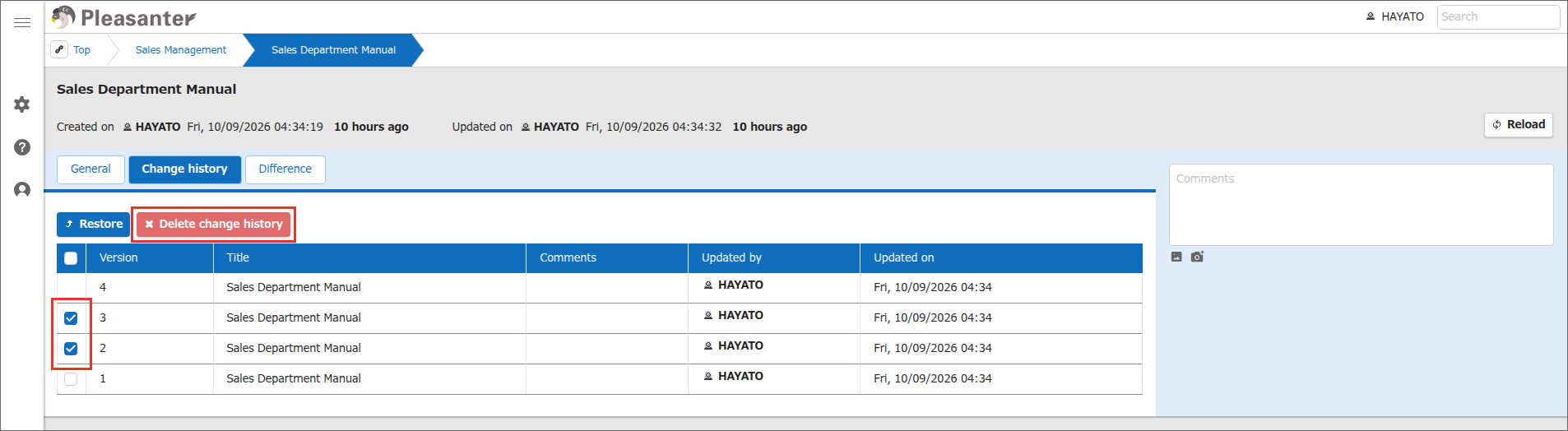
Select the check boxes to the left of the rows of the versions you want to delete, and click the "Delete change history" button. You can select multiple versions at the same time.
-
A confirmation message is displayed. Click "OK".
- When "n entries have been deleted from history." is displayed, the operation is complete. n is the number of deleted versions.