Wiki Function: View Change History
Overview
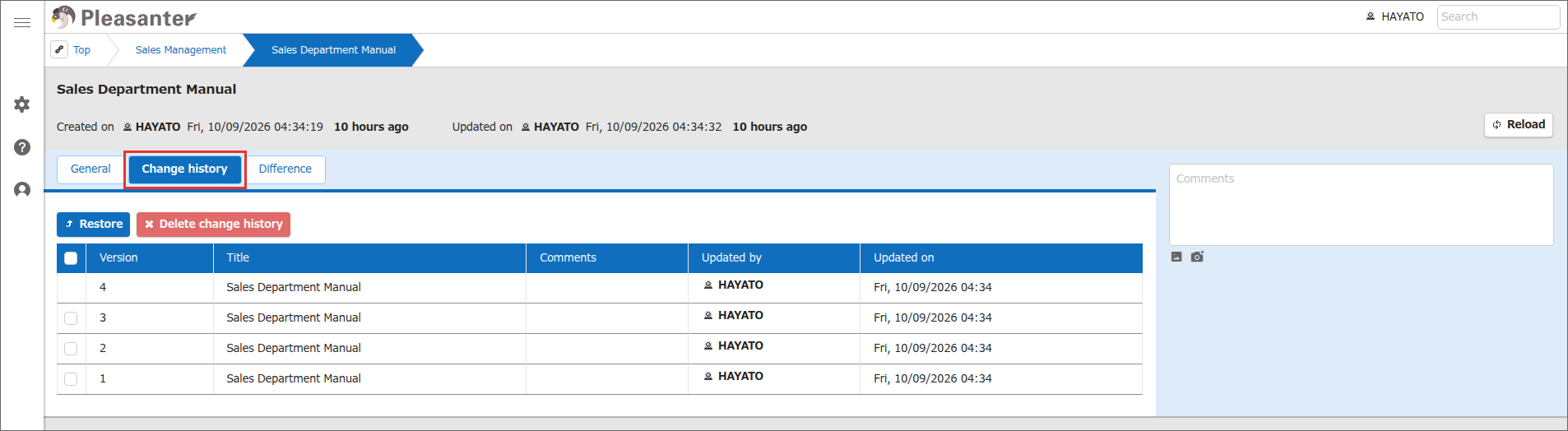
On the "Change history" tab of the Wiki screen, you can view the change history of a Wiki. When you update a Wiki, the contents before the update are recorded as a version.
Limitations
- Change history cannot be edited. When you display a version in the change history, the "Update" button and other buttons are hidden.
Prerequisites
- "Read Permission" is required.
Operation Procedure
- Click the target Wiki in the site list.
- Click the "Change history" tab.
-
The change history of the Wiki is displayed, starting with the newest version.
-
To check the contents of a specific version, click the target row in the list.
- The contents of the version you clicked are displayed, and the screen switches to the "Difference" tab. The "Difference" tab shows the comparison between the version you clicked and the version just before it. For details, see "Wiki Function: View Differences".
Supported Versions
| Supported Version | Description |
|---|---|
| 1.5.9.0 and later | Clicking a row in the change history now switches to the "Difference" tab |